%%{init: {'theme': 'neutral'}}%%
flowchart TD
    Vault["Obsidian Vault"]
    Vault --> Chunker["Chunker</br><i>split by headers</i>"]
    Vault --> LinkGraph["Link Graph</br><i>scan [[wikilinks]]</i>"]

    Chunker --> Embedder["Embedder</br><i>Ollama / LM Studio (local)</br> or Gemini (cloud)</i>"]
    Embedder --> LanceDB["LanceDB</br><i>vector store</i>"]

    LanceDB --> search
    LanceDB --> related
    LanceDB --> suggest-links
    LinkGraph --> suggest-links
obsidian-semantic
Python
CLI
semantic-search
LanceDB
knowledge-management
agents
A CLI tool for semantic search over Obsidian vaults.
obsidian-semantic is a command-line tool that adds semantic (meaning-based) search to Obsidian vaults. Instead of matching keywords, it indexes your notes as vector embeddings and retrieves results by conceptual similarity.
Why
I have come to rely on Obsidian as a dumping ground for research and ideas, a home for my daily development journal, and as a tool for collaboration with agents. I often ask agents to read my daily journal entry in order to catch up on the status of a project, or to document the solution after a difficult troubleshooting session.
I built this because I got tired of Claude fumbling around with grep and wasting tokens just to find the best place to create a note in my vault. Furthermore, there was no efficient method of creating wiki-links between notes without running multiple searches and dumping more unrelated files into context.
I wanted a tool that would allow me to:
- Find notes about a topic even when I used different terminology
- Surface connections between notes I never explicitly linked
- Allow agents to quickly find the right notes to read and the right notes to link together.
Features
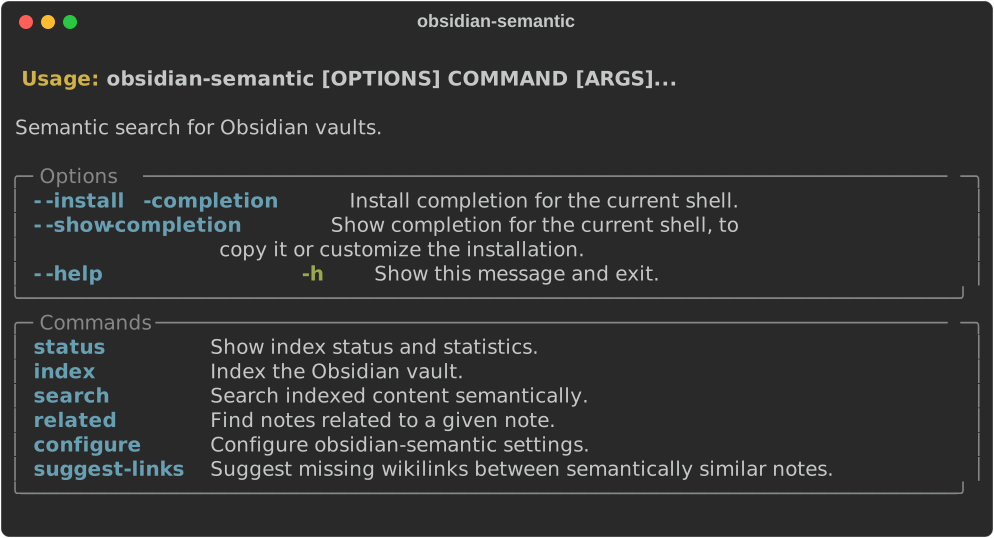
| Command | What it does |
|---|---|
search |
Query the vault by meaning. Filter by folder, tag, or limit results. |
show |
Print a note, or just one section via a heading breadcrumb: Unit Testing.md#Setup#Installation. |
related |
Find notes similar to a given note. Works even on unindexed files. |
suggest-links |
Scan for note pairs that are semantically similar but not wikilinked. |
list-tags |
Enumerate every tag in the index with per-file counts. |
index |
Incrementally index new and modified notes. --full for a full reindex. |
status |
Show index stats: file count, DB size, pending changes. |
configure |
Interactive setup wizard. |
search and related also take --json. That’s what makes the tool practical to hand to an agent: hits come back as flat objects with file_path, headers, score, and start_line, and the headers breadcrumb feeds straight back into show.
How it works
Notes are split into semantic chunks by header hierarchy, embedded via a pluggable backend, and stored in LanceDB, an embedded vector database (no server process), which makes it portable and simple to set up. The chunker preserves folder context and header breadcrumbs so search results point to specific sections, not just files.
Three embedding backends are currently supported:
- Ollama (local, default):
nomic-embed-text, or instruction-aware models likeqwen3-embedding - LM Studio (local): the same models over LM Studio’s OpenAI-compatible
/v1/embeddingsendpoint - Gemini (cloud): Google’s
gemini-embedding-001via REST API
Indexing is incremental: only new or modified files are re-embedded on subsequent runs, unless you pass --full.
Six months of daily use
I started this in February 2026 and it has been my default way into the vault ever since, both for me and for every agent I point at my notes. Where it stands today:
| Vault indexed | 472 notes → 2,909 chunks |
| Index size | 58 MB (qwen3-embedding:8b via LM Studio, 4096-dim) |
| Reindex cadence | hourly, via a launchd timer |
| Runs logged | 1,372 |
| Runs with nothing to do | 1,336 of those, finishing in ~0.13s |
| Typical run with changes | 2–3 notes, ~10s |
| Largest incremental run | 70 notes in 4m 17s |
That ratio is the argument for incremental indexing: 97% of the hourly runs hash the vault, find nothing new, and exit in a tenth of a second. Embedding is the expensive part (~4s per note on an 8B local model), and it only happens for files that actually changed.
Published to PyPI in May 2026. It has picked up ~620 downloads and 17 GitHub stars since. Small numbers, but more than I expected for a tool I created to support my own note-taking habits.
Using it with an agent
The CLI was built for agents as much as for me, so the repo ships a SKILL.md with agent-facing guidance you can drop into ~/.claude/skills/obsidian-semantic/, or point any other agent harness at. I developed the skill empirically by handing the tool to agents, asking them to perform a series of queries, and correcting common friction points. Some of the lessons learned:
- Score bands: guidance on what a cosine score actually means, and the fact that
search(chunk-level) andsuggest-links(note-level averaged vectors) sit on different scales. Reusing asearchthreshold forsuggest-linksproduces nonsense. It is possible that different embedding models or vaults with different distributions of note lengths will produce different score bands, so these values may need to be tuned for your setup. - Default workflow: Run one query, then fork on the result. If it finds a strong anchor,
showthat section. For ambiguous results, paraphrase and look for convergence. For everything below the noise floor: report the vault has nothing, instead of lowering the threshold until something shows up. - Known limitations: Hub notes can dominate broad queries, and short notes systematically under-score. Also,
relatedcan produce bad results when seeded from an outlier.
Install
The package is on PyPI as obsidian-semantic:
uv tool install obsidian-semantic
# or
pipx install obsidian-semantic

# with the Gemini embedder
uv tool install "obsidian-semantic[gemini]"
Then point it at your vault:
obsidian-semantic configure
obsidian-semantic index
obsidian-semantic search "your query"
Config lands in ~/.config/obsidian-semantic/config.yaml; a .obsidian-semantic.yaml in the vault root overrides it per-vault. The repo also has systemd and launchd recipes for keeping the index fresh on a timer.